Categories
Applications

(Update) Internet Speed Meter Pro

Internet Speed Meter Pro

Internet Speed Meter Pro

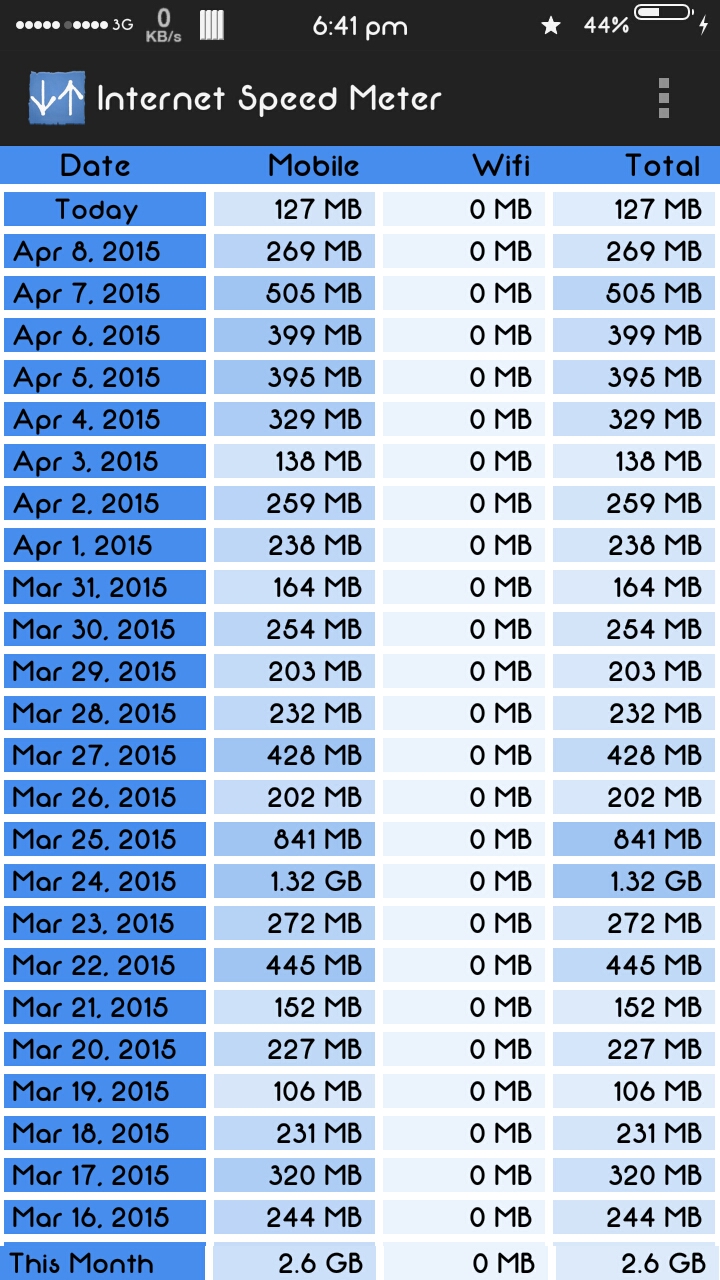
AsusLollipop- Aplikasi Internet Speed Meter Pro Android berfungsi untuk melihat data internet, data Upload, data Download serta kecepatan upload dan download.

Baca: Aplikasi Penyimpan File Terbaik di Android 

Internet Speed Meter Pro juga bisa digunakan untuk mengetahui serta membatasi pemakain data , bisa di setting perbulan, jadi anda tidak khawatir jika menggunakan data paket.
Download Internet Speed Meter Pro dan Internet Speed Meter Lite (download keduanya)
Cara install:

  • Download aplikasi Internet Speed Meter Pro
  • Install Internet Speed Meter lite
  • Install Internet Speed Meter Pro
  • Buka Internet Speed Meter Lite
  • Buka Internet Speed Meter Pro
  • Close Internet Speed Meter Lite
Categories
Applications

Rec. (Screen Recorder) Pro 1.6.4 (mediafire)

Apk Pro Downloader:
Rec. (Screen Recorder) Pro 1.6.4
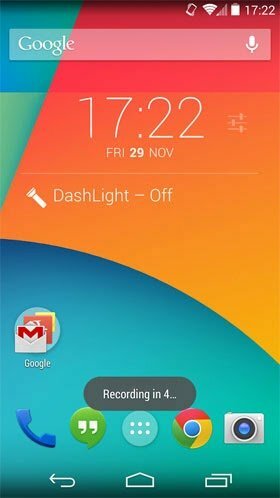
Screen Android phones – paid version and unlock the Rec. different experience of filming the screen for you to bring. Some Features Rec. (Screen Recorder) Pro Android:
* Video of the screen without a computer or supplementation program
* Video recording up to 1 hour of screen!
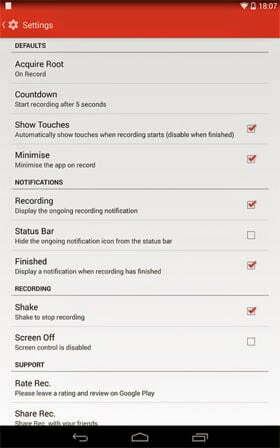
* Automatic countdown timer to stop the video
* Ability to vibrate or shake the phone to stop filming
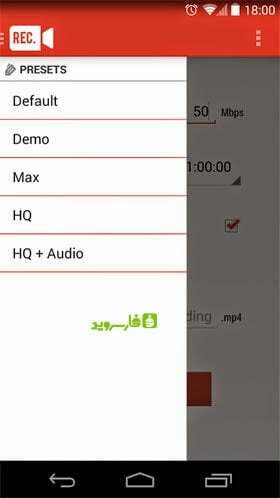
* Insert the recording settings, file name, time, etc.
 Application Rec. Note that:
1 – version of Ahead Software Rec. (Screen Recorder Pro version and unlock the money so that all the features are also available.
2 – As mentioned, the application Rec. (Screen Recorder) Pro to run in the root of your device needs.
3 – Prerequisite Android App on Android 4.4 and higher, so that the lower the error, there is a problem parsing the package] encounter. Changes in version v1.6.4:
* Added Choose storage location in the settings

Rec. (Screen Recorder) Pro 1.6.4

Rec. (Screen Recorder) Pro 1.6.4

Rec. (Screen Recorder) Pro 1.6.4

http://www.mediafire.com/download/2i8d9dhyxf444i3/Rec-Screen-Recorder-Pro-1.6.4.apk
Categories
Mod systemui

SystemUI AOSP for Asus Zenfone 5

Initial EruPop : (ONLY FOR ANDROID 5.0 USER TW or WW, just choose)
Features:
-Fix Write on extSD (microSD)
-AOSP Statbar Icons
-Enable Navigation Bar
-Erumic navbar Icons
-Resize navbar size to be smaller
-Center Clock -Enable Multiuser (include: Guest Mode). Max user=3, but u can enable more by changing the value
-etc

Link (SKU TW ) :
http://adf.ly/1FnpTk

Link (SKU WW Official) :
http://adf.ly/1IJm5v

Instructions (WW):

DISCLAIMER
I'M NOT RESPONSIBLE FOR ANY DAMAGE CAUSED TO YOUR PHONE AFTER INSTALLED THIS

////////////////////////////////////////////
VIA ADB

Copy all files to your root sdcard (internal),
but don't place in the folder just like this :
/sdcard/build.prop
/sdcard/platform.xml
/sdcard/AsusSystemUI.apk
/sdcard/framework-res.apk

after that, type these commands on adb:
adb shell
su (superSU permission appears, then just grant it)
stop
mount -o rw,remount /system
cp /sdcard/build.prop /system/build.prop
cp /sdcard/platform.xml /system/etc/permissions/platform.xml
cp /sdcard/AsusSystemUI.apk /system/priv-app/AsusSystemUI/AsusSystemUI.apk
cp /sdcard/framework-res.apk /system/framework/framework-res.apk
chmod 0644 /system/build.prop
chmod 0644 /system/etc/permissions/platform.xml
chmod 0644 /system/priv-app/AsusSystemUI/AsusSystemUI.apk
chmod 0644 /system/framework/framework-res.apk
mount -o ro,remount /system
reboot

////////////////////////////////////////////
VIA ROOT EXPLORER

Copy all files to /system first
change permission to 0644 (rw-r--r--)
copy one by one to :
/system/build.prop
/system/etc/permissions/platform.xml
/system/priv-app/AsusSystemUI/AsusSystemUI.apk
/system/framework/framework-res.apk

/////////////////////////////////////////////
FLASHABLE ZIP (but not recommend since custom recovery lag too much and sometimes reboot)

Choose Install/Install zip
choose zip file where u place
reboot

=============================
CREDITS:

Asus
Google
All Asus Zenfone 5 Groups on FB
You

regards,
Delano

Instructions (TW):
It is already in the zip
Categories
CyanogenMod

CyanogenMod for Asus Zenfone 4

Unlock Tool (UBL)

http://uptobox.com/k22ccc5rt8jl
https://userscloud.com/iz24i8v5822v

ADB Fastboot

http://uptobox.com/dy5iazc22h57
https://userscloud.com/ysh8jtp7k387
http://www.mediafire.com/download/xdd98u3uks1xtbh/adb-fastboot-win.rar

CyanogenMod Rom Asus Zenfone 4

https://drive.google.com/folderview?id=0B22l2dNWVRA2S1pIcG0tSzVCaG8#

Tutor:
Asus Zenfone harus dalam posisi UBL. Gunakan UBL Tool untuk melakukan Unlock Boot Loader (UBL)

Cara Pasang CyanogenMod Asus Zenfone Secara Manual:

  1. Copy/move file boot.img dan system.img ke dalam folder ADB
  2. Masuk ke fastboot mode (matikan HH tekan Power+VolUp)
  3. Pada folder ADB buka START.cmd : kemudian ketik perintah sebagai berikut satu persatu:

fastboot flash boot boot.img

fastboot flash system system.img 

 Tunggu proses flashing sampai selesai

Kemudian hapus chace debgan cara ketik perintah di ADB sebagai berikut:

fastboot erase cache

fastboot erase userdata

Lanjutkan dengan memmasang TWRP. ketik perintah di ADB sebagai berikut:

fastboot flash recovery recovery-TWRP.img

Reboot  

Categories
Mod

Mod SystemUI Full Transparan Asus Zenfone

Mod Asus Zenfone SystemUI
. Full Transparant
. Center Clock
. CyanogenMod Signal
. Circle Battry
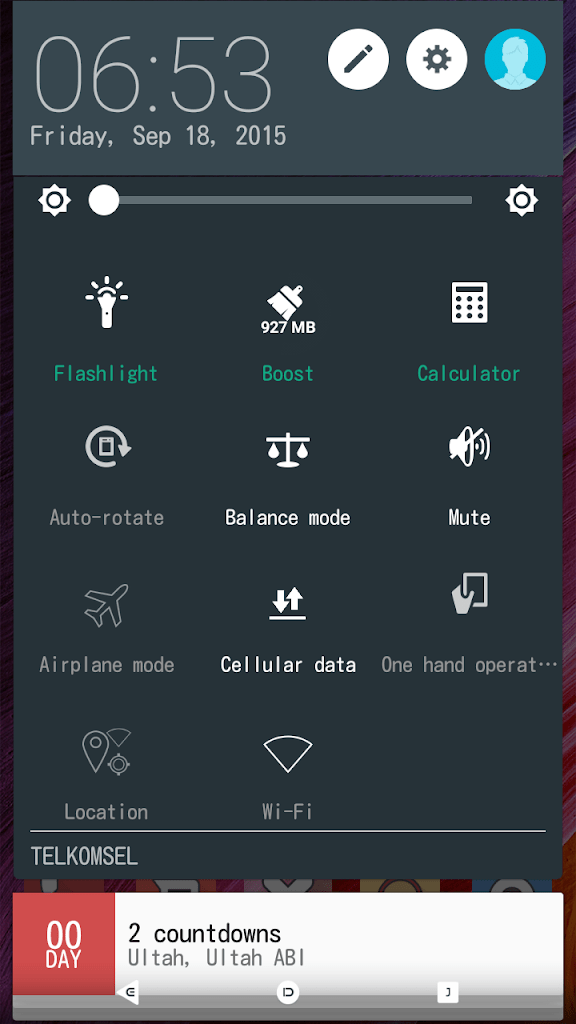
. Clear Quick Settings
. Animated battry charger
. Etc
Tutor:
1. Download Mod Asus Zenfone SystemUI Full Tranparant, Xtract Zip File
2. COPY file AsusSystemUI.apk ke folder System/
3. Sett permission menjadi rw-r-r (0644)
4. Move file AsusSystemUI di folder system/ ke folder system/priv-app/
5. Reboot
Categories
ASUS Zenfone 5 Mod

Mod Asus Zenfone SytemUI

Mod Asus Zenfone SystemUI
. Center Clock
. CyanogenMod Signal
. Circle Battry
. Clear Quick Settings
. Animated battry charger
. Etc

 HOME SCREEN

 SystemUI : Download here

WALLPAPER : Download here

Tutor:
1. Download Mod Asus Zenfone SystemUI
2. COPY file AsusSystemUI.apk ke folder System/
3. Sett permission menjadi rw-r-r (0644)
4. Move file AsusSystemUI di folder system/ ke folder system/priv-app/
5. Reboot

Categories
Applications

BLACKMART APK , Free download Premium Applications

BLACKMART APK , Free download Premium Applications.

.
Download BlackMart Android Free Download Premium Applications

Categories
Applications

Asus Keyboard Beta v1.5.0.17

Asus Keyboard Beta v1.5.0.17
Whats New:
– Change Theme
– Change Background
– Change Colour
– Numeric Keyboard
– Emoticons
– Emoji
– Etc

QWERTY Keyboard

Asus Keyboard Theme

Numeric Keyboard

Emoji & Emoticons

Categories
Asus Zenfone 2 Asus Zenfone Lollipop Wallpapers

Asus Zenfone 2 Stock Wallpapers

Asus Zenfone 2  Stock Wallpapers.
Download Here

Big collection of hot hd wallpapers for Asus Zenfone 2. All high quality Asus Zenfone 2.

Categories
Applications

WhatsApp HD 7.0

Siddharth Ahuja (Sidzy)'s profile photo

WhatsApp HD 7.0
Updated base to 2.12.229

New Features
*Complete Black HD UI
*New Ticks Material Style
*New Contact and Group Avatar
*New Incoming Notification Icon
*Rest Features From My Previous Mods

NO PRIVACY FEATURES INCLUDED

Downloads
Stock Variant- http://sh.st/vhV8b
Twitter Variant- http://sh.st/vhB0R
One Variant- http://sh.st/vhV65

Delete previous installed version before installing this
Follow my community for  further updates

Jika ada masalah saat verifikasi :
1. Install whatsapp original di http://whatsapp.com
2. Buka whatsapp original, verifikasi nomor/akun
3. Backup data menggunakan Titanium Backup
4. Uninstall whatsapp original
5. Install whatsapp HD
6. Restore DATA ONLY dari Titanium Backup
7. Buka whatsapp HD
8. Done !!